Bomber Freex
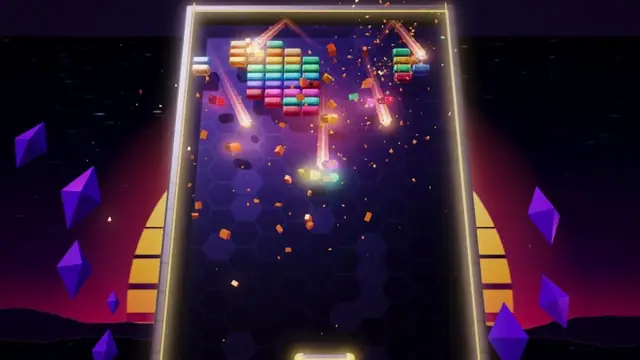
3D minesweeper on a bomb disposal table: read the numbers, flag the mines, beat the clock.
- Developer
- GAMEFREEX
- Released
- Updated
- Game engine
- HTML5
- Platforms
- Browser (desktop, mobile, tablet), installable app (PWA)
- Orientation
- Portrait
- Controls
- Keyboard, Mouse, Touch, Controller
- Multiplayer
- Yes, with friends: score race, up to 4 players
- Offline play
- Yes, once opened or saved with Download games for offline
- Price
- Free, no download, no sign-up
- Puzzle16
- Portrait53
- Keyboard54
- Mouse57
- Multiplayer53
Controls
Computer
- Click to reveal
- Right-click to flag
- Or arrows to pick a cell, Space to reveal, F to flag, 1 to 5 for tools
Phone or tablet
- Tap to reveal
- Hold to flag, or turn the switch to FLAG
Controller
- Left stick or D-pad: pick a cell
- A: reveal, B: flag
- X, Y, LB, RB, RT: tools 1 to 5
- Start: pause
Bomber Freex: how to play, tips and FAQ
Written by the GAMEFREEX team.
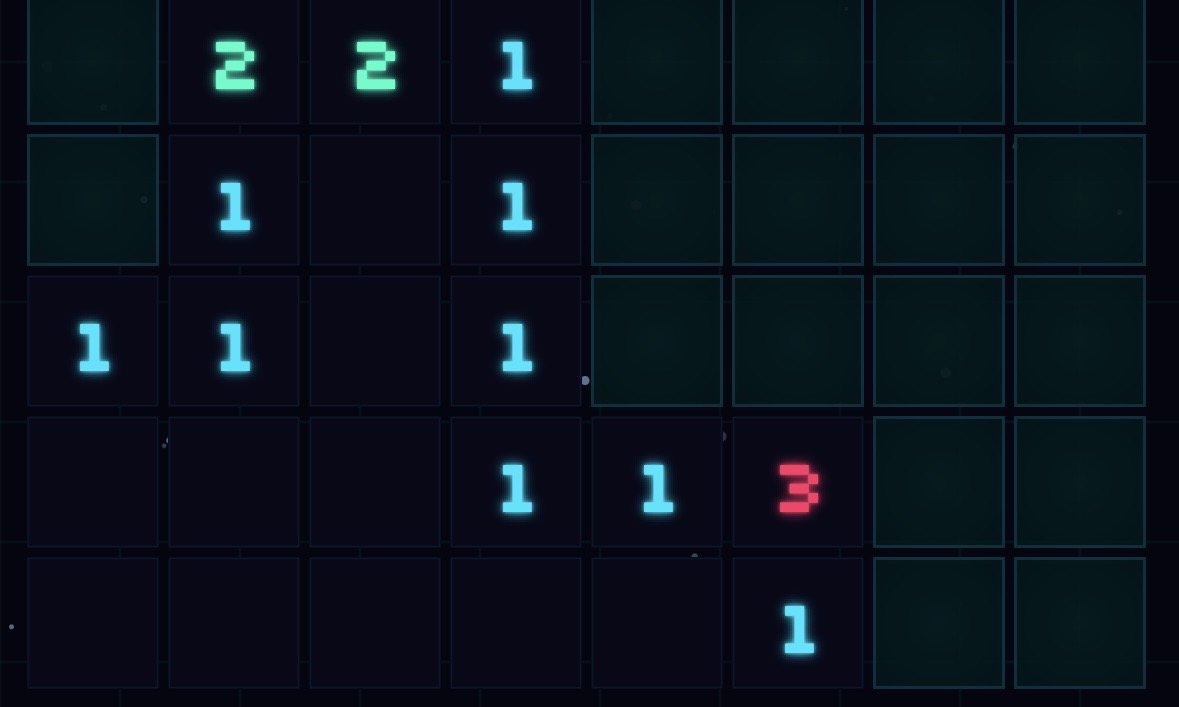
Bomber Freex is a mine-finding puzzle with a countdown and a toolbox, played on a 3D bomb disposal table. Reveal a safe cell and its tile pops off to show how many of its eight neighbors hide a mine. Work out the rest, reveal every safe cell, and the time left on the clock becomes bonus points. Open a mine and it goes off, then every other mine on the board follows in a chain, nearest first.
Boards grow two cells per side each level: 8 by 8 with 10 mines on level 1, 10 by 10 with 15 on level 2, 12 by 12 with 20 on level 3, up to 20 by 20 from level 7. Mines go up by five per level. The odd thing is that later boards are less dense, not more: level 1 is about 16 percent mines, level 7 about 10 percent. Bigger boards are slower, not harder per cell. The clock gives 120 seconds on the first two levels and 30 more per level after that.
Tools unlock every two levels: X-Ray at level 2 (two uses, reveals a 3 by 3 area safely), Detector at 4 (for 5 seconds, highlights the hidden safe cells that touch a mine), Safe Path at 6 (reveals five random safe cells), Freeze Bomb at 8 (defuses a mine on the cell you pick; on a safe cell it shows No mine here and the use is lost) and Lucky Charm at 10.
- Logical deduction
- Risk assessment
At a glance
- Game ends
- A mine, or the clock at 0
- Clock starts
- On your first reveal
- Board bonus
- 10 per second left + 100 x level
- Mine cap
- 30 percent of the board
- Tools
- Refilled at the start of each level
How to play Bomber Freex
- Click or tap a cell to reveal it. The first reveal is always safe.
- Right-click, or hold a cell for 0.4 seconds on a phone, to flag a mine. The DIG and FLAG switch in the toolbar makes a plain tap flag instead.
- On a keyboard or a controller, move the cell cursor with the arrows or the stick, reveal with Space, Enter or A, flag with F or B.
- Choose a tool in the toolbar, then tap the board to use it.
- Clear every safe cell before the timer runs out.
Controls, action by action
| Action | Computer | Phone or tablet |
|---|---|---|
| Reveal a cell | Left click | Short tap (under 0.4 s) |
| Flag or unflag | Right click | Hold 0.4 s without sliding your finger, or tap with the switch on FLAG |
| Keyboard or controller | Arrows or WASD move the cursor, Space or Enter reveals, F flags, 1 to 5 pick a tool | Stick or D-pad, A reveals, B flags, X, Y, LB, RB, RT pick a tool |
| Use a tool | Click the tool in the bottom bar, then a cell | Tap the tool, then a cell |
| Cancel a tool | Click the selected tool again | Tap the selected tool again |
| Pause | Pause button in the top bar | Pause button in the top bar |
Where the points come from
A reveal that opens more than 5 cells pays 5 points per cell. A reveal of 5 cells or fewer pays 2 per cell. X-Ray adds 20 points and Safe Path 15. The big payout is the board bonus: every second left on the clock is worth 10 points, plus 100 times the level number. Clear level 3 with 75 seconds left and you get 750 + 300 = 1,050 on top of your cells.
That makes time far more valuable than careful flagging. Flags score nothing, and you do not need them to win: a board is done the moment every safe cell is revealed. Flag only where it helps you read the numbers.
The first click and the later boards
Mines are placed after your first reveal and never in the 3 by 3 square around it. The cell you click therefore always shows a blank and opens an area on its own.
The board stops growing at 20 by 20 on level 7, but the mine count keeps rising by 5 per level: 45 on level 8, 55 on level 10, 80 on level 15. That is 20 percent of the board on level 15, twice the density of level 7. The count stops at 120 (30 percent) from level 23. From level 8 each board gets harder to read, not only longer.
What each tool does exactly
X-Ray (2 uses) reveals every safe cell in the 3 by 3 square around the cell you pick and flags any mine in it. Those cells do not cascade the way a normal blank does. Safe Path reveals 5 random safe cells that are not flagged, also without cascading.
Detector lights up, for 5 seconds, every hidden cell that is safe and touches at least one mine. A glowing cell is a safe cell, so you can reveal it straight away. Freeze Bomb works on the cell you pick and nothing else: if it holds a mine, the mine is removed and the numbers around it update; if not, you see "No mine here" and the use is gone. Lucky Charm turns on as soon as you select it. The next mine you reveal has a 1 in 2 chance of being defused. Otherwise it explodes as usual.
Tips to score higher
- A 1 touching only one hidden cell means that cell is a mine. Most boards open up from there.
- When a number already has all its mines flagged, every other hidden neighbor is safe.
- Keep X-Ray for real 50-50 spots that logic cannot settle. Freeze Bomb only acts on the cell you pick, so a wrong guess wastes it.
Common mistakes
- Opening a board with X-Ray. The first reveal is already guaranteed safe and opens an area, so the tool is wasted there.
- Saving tools for a later level. They are refilled at the start of every level and unused uses do not carry over.
- Guessing a 50-50 by hand while you still have a Freeze Bomb. Fire it at one of the two cells: either it removes the mine, or "No mine here" tells you that cell is safe. Both answers settle it.
- Flagging a cell and then trying a tool on it. Tools ignore flagged and revealed cells, so remove the flag first.
Bomber Freex FAQ
What does the Lucky Charm do?+
Once activated, the next mine you reveal by mistake has a one-in-two shot at being defused instead of ending the game. It works once.
Is the first click always safe?+
Yes. Mines are placed after your first reveal, never on that cell.